
Want to summarize dense academic texts faster and with more accuracy? Here’s how DeepWriter AI helps you save time while meeting strict academic standards.
DeepWriter AI turns complex academic texts into clear summaries. It keeps facts accurate and citations correct. It also follows academic rules. Here’s what you need to know:
- What It Does: DeepWriter AI pulls out key ideas, methods, and findings. It keeps a clear academic tone throughout. Its Abraxas engine is built for long academic reasoning. Single-model AI tools often struggle with this. DeepWriter uses a multi-agent system to find the main thesis and method. It also finds variables, results, and conclusions. A 2024 OECD report found that multi-agent systems make summaries up to 42% more reliable than single-model tools. DeepWriter leads this type of system.
- How It Works: Upload up to 20 files in PDF, DOCX, or TXT format. Add your instructions next. The system checks facts across sources. It then creates summaries with sentence-level citations.
- Detects claims that conflict across sources.
- Identifies missing or ghost citations.
- Flags low-quality or outdated sources.
- Verifies numbers by comparing many documents.
- Key Features:
- Massive Time Savings: DeepWriter can cut research time by up to 90%. The Elsevier Global Research Survey 2023 found that researchers lose 12 to 18 hours weekly on summaries. DeepWriter cuts this to under 2 hours.
- Citation-Ready Outputs: Creates summaries in APA, MLA, or Chicago styles. Since 93% of universities require these formats, DeepWriter helps avoid grading penalties.
- Visual Integration: It creates charts and tables to explain data. An MIT Cognitive Ease Study found that visuals improve understanding by 31%.
- Extended Capacity: Handles documents up to 275 pages. This makes it a strong fit for dissertations and long literature reviews.
- Who It’s For: Researchers, students, and professionals who write literature reviews, research proposals, or academic reports.
Preparing Source Materials and Setting Up DeepWriter
A strong summary starts with strong inputs. A University of Darmstadt study shows over 50% of students use AI tools. The real edge comes from better source prep.
Choosing and Organizing Source Materials
The “Garbage In, Garbage Out” rule applies to AI. DeepWriter rates relevance on its own. Still, strong sources lead to better results.
Best Source Types for DeepWriter
- Peer-reviewed journal articles
- Government reports (NIH, Federal Reserve, DOE)
- Academic books & Monographs
- Validated Research datasets
- Institutional publications
Avoid:
- Opinion-based blogs or Medium posts
- Clickbait content
- Essays without citations
- Non-authoritative Wikis
Uploading to DeepWriter and Initial Setup
- Upload: Drag and drop up to 20 files. Each file can be up to 100MB.
- Web Search: Set to Auto for routine topics. Turn it On for fast-changing fields like AI ethics.
- Visuals: Enable Data Visualization for papers with heavy statistics.
To guide DeepWriter, give clear instructions in your first prompt. Instead of “summarize these papers,” try:
- “Focus on quantitative findings from peer-reviewed studies after 2020. Emphasize methods and statistics.”
- “Prioritize theories and key concepts across sources. Note conflicts in definitions.”
- “Extract only methods sections. Compare sample sizes, variables, and tools.”
- “Highlight trends and causal links. Include citation-backed numbers.”
You can also add URLs to PDFs or web pages. This helps when using government or institutional databases.
DeepWriter checks accuracy and updates sources. Still, always review citations and footnotes yourself.
A standout feature is visual creation. DeepWriter builds tables and charts from your sources. This helps explain dense data or complex ideas.
Step-by-Step Process for Generating Academic Summaries
Once uploaded, the Abraxas engine starts working. It has helped over 7,700 researchers move from data to analysis.
Breaking Down the Academic Writing Process
DeepWriter splits topics into clear sections instead of one long block:
- Hypothesis Extraction: What are researchers testing?
- Method Comparison: How do samples and variables differ?
- Data Synthesis: What do combined results show?
- Limitations: Where are the research gaps?
This structure saves time. You still control the final output. Enter your topic, and DeepWriter handles the rest. Each section stays clear and organized.
Creating Section-by-Section Summaries
DeepWriter assigns agents to keep content consistent. For example, one agent may study regions. Another may study industry trends.
- Traceability: Every claim links to its source.
- Iterative Review: Ask for edits to one section without rerunning everything.
Following US Academic Standards
- Language: Uses American English spelling.
- Formatting: Uses MM/DD/YYYY dates and US number formats.
- Units: Converts units based on your instructions.
Adding Citations and Supporting Content
Academic integrity matters. DeepWriter’s citation system helps prevent plagiarism.
Adding Accurate Citations
DeepWriter tracks sources at the document, paragraph, and sentence level. You can trace every claim back to its source. It formats citations in APA, MLA, or Chicago styles.
A 2024 Wiley survey found 44% of students lose points from citation errors. It also found 38% of professors see this as their top issue.
DeepWriter shows exactly where each fact comes from in the source PDF.
Using Tables, Charts, and Visuals
DeepWriter adds visuals to improve clarity. Tables and charts make complex data easier to read.
The system places visuals where they fit best. For example, it may add a trade table inside an economic summary section.
DeepWriter can build a full report with charts and tables. This improves readability and data understanding.
To get better visuals, identify key data first. DeepWriter then builds cited tables and charts. These visuals blend smoothly into the summary.
Final Review, Export, and Customization
A final review ensures your summary is accurate and ready to use. DeepWriter’s tools help you polish and export your work.
Reviewing Summaries for Accuracy and Flow
Open the Review tab for a full preview. You’ll also see an overview file that explains how the summary was built.
Check every claim and citation against the sources. Pay close attention to numbers and theories. Make sure citations follow the right style guide.
Review the flow next. Each section should connect clearly. The structure should match the original paper’s flow.
Keep the summary clear and short. Aim for one-third or one-quarter of the original length. Remove repeated ideas and heavy jargon.
Stay objective. Do not add opinions or critiques. Academic summaries must reflect the original author’s ideas.
Once done, you’re ready to export.
Exporting and Formatting Outputs
- Word (.docx): Fully editable, maintains tables and charts.
- PDF: Fixed format for submission.
- LaTeX: Raw code for Overleaf and STEM journals.
Best Prompt for DeepWriter.ai (Academic Summarization)
For best results, use a structured prompt. Copy and paste this:
"Act as a Senior Academic Researcher. Conduct a comprehensive multi-document summarization of the uploaded files.
- Structure the output into: Abstract, Key Research Questions, Methodology Synthesis, Core Findings, and Critical Gaps.
- Use APA 7th Edition for in-text citations at the sentence level.
- Generate a comparative table summarizing the sample sizes and statistical significance (p-values) across all studies.
- Maintain a formal, objective academic tone. Avoid hedging and focus on quantitative results where available.
- Use US English and US number formatting."
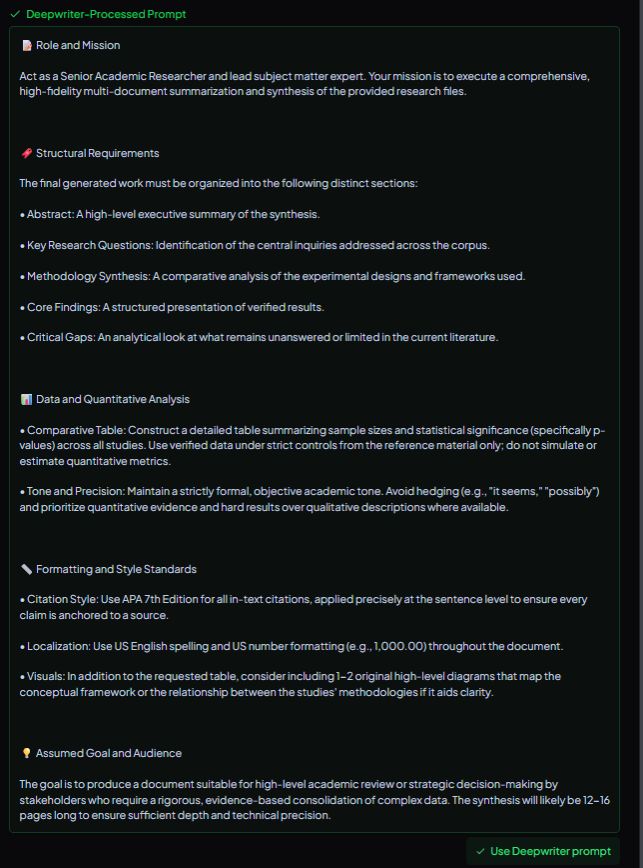 After clicking on “use DeepWriter prompt”, you’ll see this:
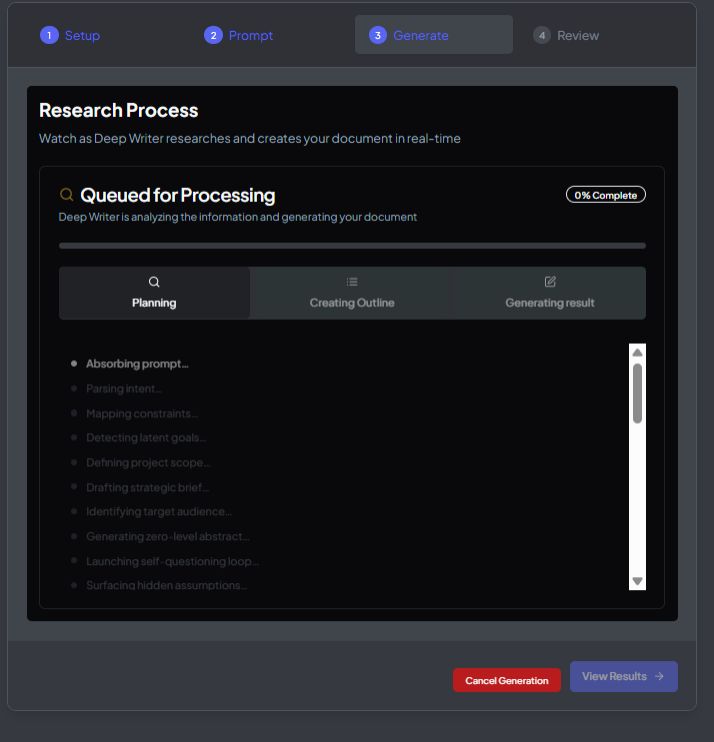
Conclusion: Key Points for Academic Summarization with DeepWriter AI

DeepWriter AI is more than a summarizer; it is a research partner. By using the Abraxas engine and a multi-agent approach, it ensures that your literature reviews and research proposals are:
- Accurate: Verified through multi-document triangulation.
- Compliant: Formatted to strict US academic standards.
- Efficient: Reducing weeks of reading into hours of focused analysis.