- Google Docs: Perfect for real-time collaboration and cloud-based accessibility. Free with premium options starting at $6/month.
- Grammarly: AI-powered writing assistant for grammar, tone, and clarity. Free version available; advanced features start at $12/month.
- Adobe RoboHelp: Ideal for creating professional help systems with multi-format publishing. Starts at $29.99/month.
- MadCap Flare: Best for managing large-scale documentation with advanced customization. Priced at $149/month.
- Hemingway Editor: Focuses on readability and simplicity. Free web version; desktop version costs $19.99.
- DeepWriter: AI-driven tool for synthesizing complex information, complete with citations and visuals. Plans range from $29 to $129/month.
Quick Comparison
| Tool | Collaboration | Publishing Formats | Key Strength | Pricing | Best For |
|---|---|---|---|---|---|
| Google Docs | Excellent | Basic (PDF, Word) | Team collaboration | Free or $6/month | Drafting and teamwork |
| Grammarly | Limited | None | Grammar/style | Free or $12/month | Polishing and proofreading |
| Adobe RoboHelp | Good | Multiple (HTML, PDF) | Help systems | $29.99/month | Advanced documentation |
| MadCap Flare | Good | Extensive | Large projects | $149/month | Enterprise-level workflows |
| Hemingway | None | Basic (PDF, Word) | Readability | Free or $19.99 | Simplifying complex writing |
| DeepWriter | Limited | PDF, Word, LaTeX | Research synthesis | $29–$129/month | Technical research projects |
Each tool shines in specific areas, so combining them can optimize your workflow. For example, use DeepWriter for research, Google Docs for collaboration, Grammarly for editing, and RoboHelp or Flare for publishing. Your choice depends on your project’s complexity, team size, and budget.
1. Google Docs
Google Docs is a free, cloud-based tool that has gained popularity for its simplicity and seamless real-time collaboration. With an impressive user rating of 4.8/5, it’s a favorite among teams and organizations looking for efficient ways to work together [1].
Collaboration Features
Google Docs provides three modes to suit different needs: Editing for direct changes, Suggesting for tracked edits, and Viewing for read-only access. Its auto-save feature ensures that no work is lost, while saving everything to Google Drive eliminates version mix-ups. The permissions system is another standout feature, allowing users to assign roles like Viewer, Commentator, or Editor for secure and organized document sharing.
Publishing Capabilities
With its WYSIWYG editor, Google Docs makes formatting and layout adjustments a breeze. Plus, it integrates seamlessly with other Google Workspace tools like Sheets, Meet, and Drive, making it easy to manage and publish documents. These features make it a versatile choice for collaborative writing and publishing tasks.
Pricing and Value
The free version of Google Docs includes all its collaboration features, making it an excellent cost-effective option. For those needing more advanced controls, premium Google Workspace plans start at $6 per user/month and come with a 14-day trial. While it offers great value, it’s worth noting that Google Docs requires an internet connection for real-time collaboration and may lack the advanced tools needed for highly technical documentation projects.
2. Grammarly

Grammarly is a writing assistant powered by AI that does more than just catch spelling mistakes. It helps refine clarity, adjust tone, and ensure technical accuracy in your writing.
Content Optimization
Grammarly does a great job of spotting grammar mistakes, suggesting better word choices, and even giving readability scores to help make your content easier to understand. Its AI examines sentence structures and offers shorter, more concise alternatives to eliminate unnecessary words.
One standout feature is its tone detection tool, which is especially helpful for technical documentation. Whether you’re crafting user manuals, API guides, or technical specs, Grammarly tailors its suggestions to match your audience and purpose.
If you’re working with industry-specific jargon or acronyms, the personal dictionary feature lets you add these terms. This ensures specialized language isn’t flagged as errors, while genuine mistakes are still caught.
Collaboration Features
Grammarly works smoothly with popular tools like Microsoft Word, Google Docs, and even web browsers through its extension. This means your team can benefit from consistent writing support no matter which platform they prefer.
For teams, Grammarly Business takes it up a notch. It offers style guides and brand tone settings, allowing team leaders to create custom guidelines that automatically apply to all collaborators. This makes editing large-scale technical projects more efficient and ensures consistency across documents.
Pricing and Value
Grammarly offers a free version that covers basic grammar and spelling checks. Upgraded plans unlock more advanced features, like clarity suggestions, vocabulary improvements, and plagiarism detection.
With its browser extension and desktop app, Grammarly integrates effortlessly into most workflows, keeping interruptions to a minimum.
Next, we’ll dive into Adobe RoboHelp, a tool designed to elevate technical documentation with advanced publishing options.
3. Adobe RoboHelp
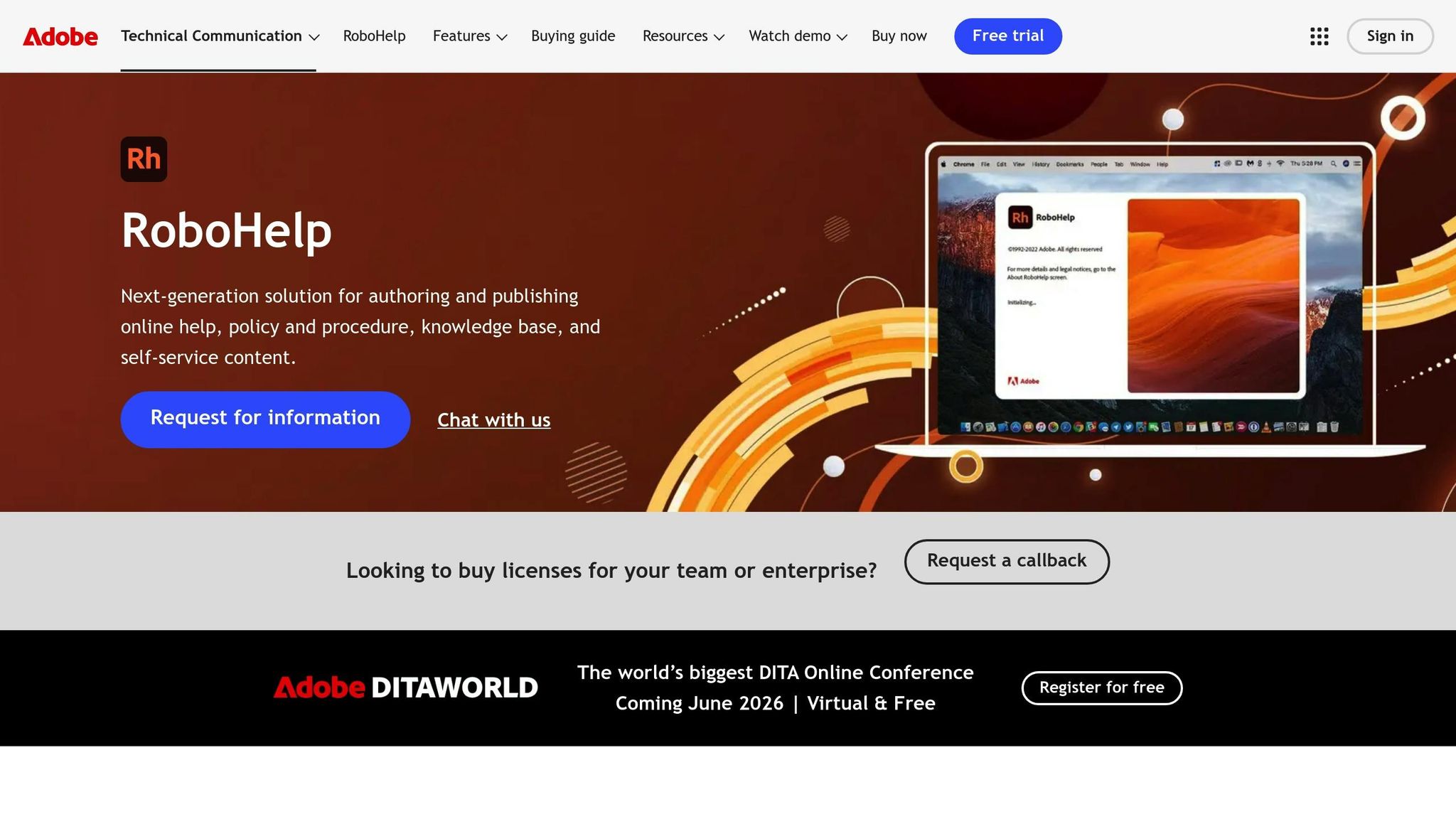
Adobe RoboHelp is a specialized tool designed for technical writers who need to create and publish detailed help content. It’s particularly suited for managing complex documentation projects that require advanced publishing tools.
Content Optimization
One of RoboHelp’s standout features is its ability to handle microcontent. This allows you to create compact, information-rich snippets that can be used across various formats, including search engines, social media, in-context help systems, FAQs, and even chatbots. Its topic-based authoring system ensures you can create content once and reuse it across multiple platforms, saving time and reducing redundancy.
For Office users, RoboHelp makes integration easier by letting you import HTML versions of Word documents. It also offers customizable layouts and templates to maintain a consistent look across your documentation. However, keep in mind that some formatting tweaks may require minor HTML adjustments.
Publishing Capabilities
RoboHelp doesn’t just stop at content creation – it shines in publishing as well. It supports multiple formats, including Responsive HTML5, PDF, Adobe Experience Manager, and Microsoft Help. This flexibility is a huge advantage for technical teams that need to distribute content across desktops, tablets, and smartphones while maintaining a professional appearance.
Collaboration Features
When it comes to teamwork, RoboHelp offers cloud-based review tools that allow multiple stakeholders to collaborate in real time. This feature helps streamline the review process and ensures that version control is maintained, cutting down on the usual back-and-forth.
Pricing and Value
Adobe RoboHelp offers a 30-day free trial, giving you a chance to explore its features before committing. Paid plans start at $29.99 per month, with an option for a one-time purchase [2]. While the software’s robust capabilities justify its cost, the steep learning curve might be a hurdle for smaller teams or individual writers. This is something to consider when evaluating the time and effort required to master the tool.
RoboHelp is particularly appreciated for its ability to migrate existing content from other programs, making it a strong choice for teams looking to integrate and enhance their documentation workflows.
4. MadCap Flare
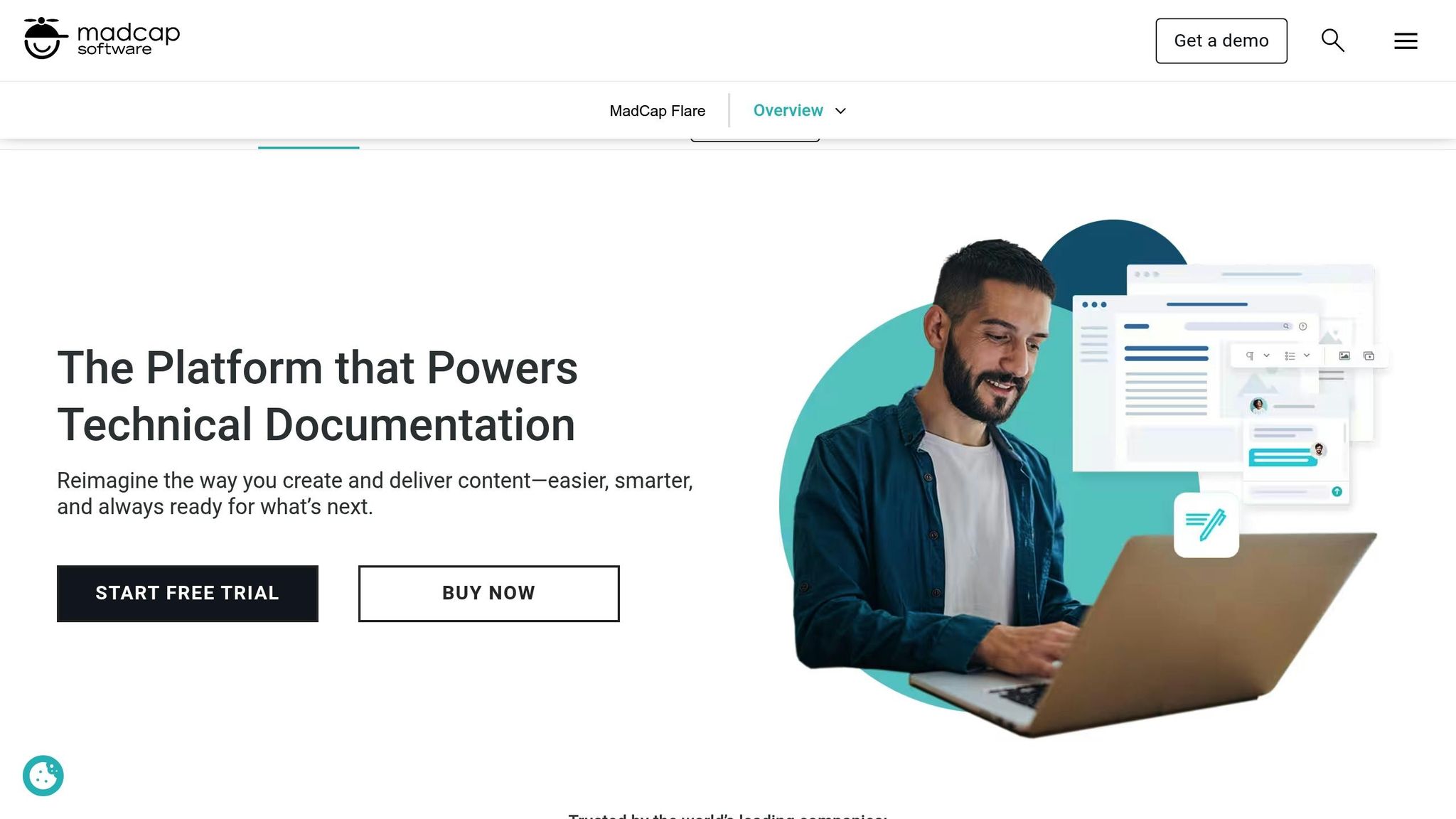
MadCap Flare is a powerful tool designed for teams tackling complex technical documentation. It’s especially useful for large-scale projects where managing multiple output formats and delivery channels is a priority.
Content Optimization
MadCap Flare stands out with its topic-based authoring system, which breaks documentation into smaller, reusable sections. This modular approach means you can create content once and repurpose it across various projects and formats, cutting down on unnecessary repetition.
One of its standout features is conditional text, which allows a single document to adapt its content based on specific conditions. For example, you can tailor content for different product versions or audience groups without creating separate documents. This not only ensures consistency but also simplifies updates across large-scale projects.
For enterprise-level teams, the platform offers structured content management to handle complex hierarchies. It also integrates smoothly with tools like Git and translation management systems, making it easier to coordinate workflows for global teams.
Publishing Capabilities
MadCap Flare’s publishing features are designed with flexibility in mind. From a single source, it can generate outputs such as online help systems, PDFs, HTML files, and even mobile apps. This multi-channel publishing capability ensures your content remains consistent across various digital platforms, a must-have for technical teams delivering information across multiple channels.
Collaboration Features
Collaboration is seamless with MadCap Flare, thanks to its Git integration. This allows team members to work on projects simultaneously while maintaining version control and tracking changes efficiently, ensuring everyone stays on the same page.
Pricing and Value
MadCap Flare is priced at $149 per month and comes with a steep learning curve due to its complex interface [1]. However, for organizations dedicated to managing sophisticated documentation workflows, this cost is often justified by the time saved and the quality improvements it brings to their content.
5. Hemingway Editor
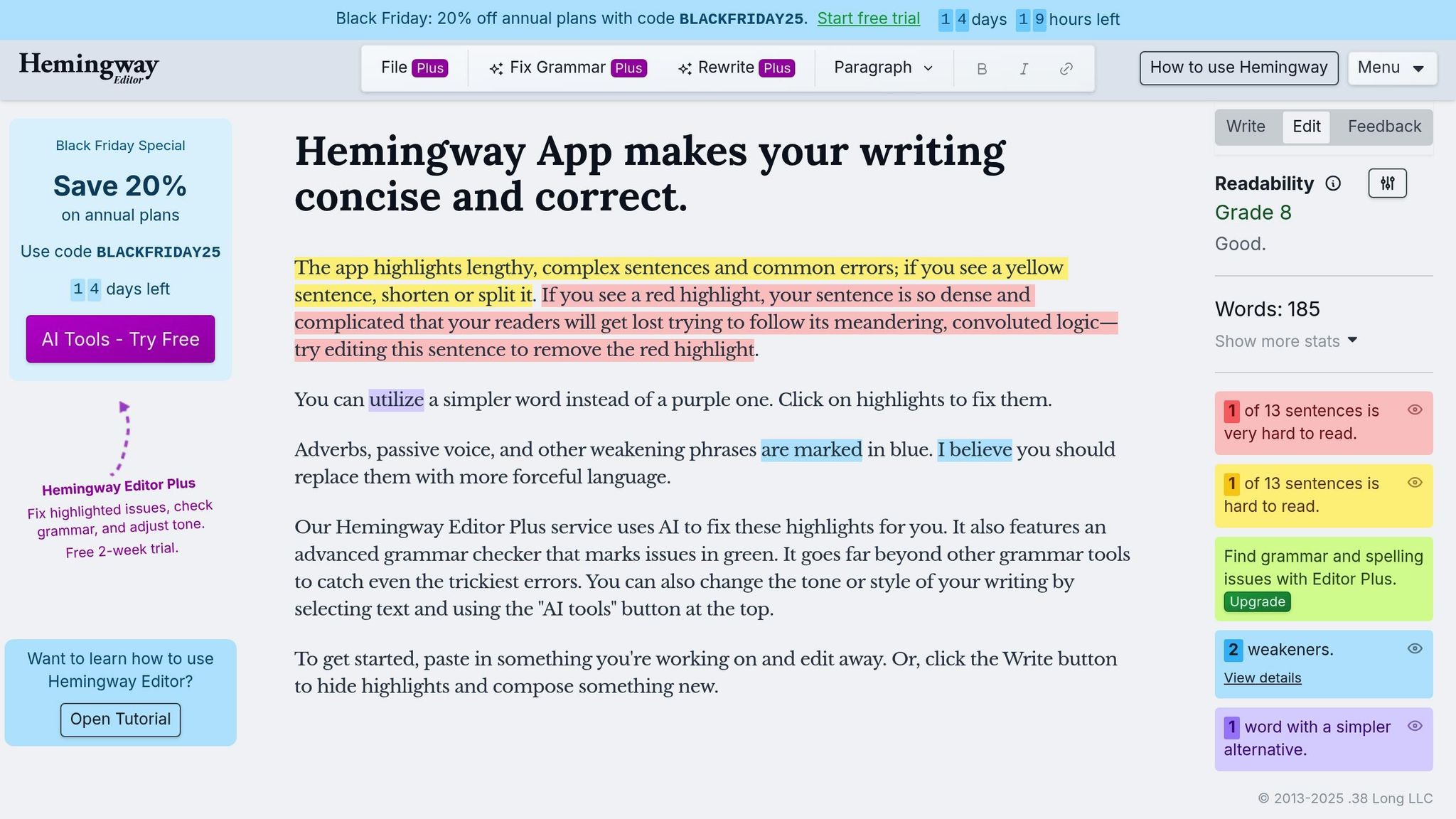
Hemingway Editor is a go-to tool for refining technical writing, emphasizing clarity and simplicity. It works to strip away unnecessary complexity, ensuring technical documentation is straightforward and easy to digest.
Content Optimization
This editor shines when it comes to tightening up your writing. Using a color-coded system, it highlights areas that need attention – red for sentences that are hard to read, yellow for slightly dense ones, and other colors for passive voice, excessive adverbs, or unnecessary qualifiers. These visual cues make it easy to identify and fix problem areas. For example, it encourages replacing weak adverbs with stronger verbs and suggests bolder alternatives for qualifiers, helping your writing pack more punch.
If you opt for the Editor Plus subscription, you get even more – AI-powered writing assistance and an advanced grammar checker. These features are particularly useful when you need to ensure precision and catch subtle mistakes.
Publishing Capabilities
Hemingway Editor offers flexibility to fit different workflows. The free web version is perfect for quick edits online, while the desktop version, priced at $19.99, allows for offline use. This adaptability makes it easy to choose a setup that works best for you, whether you’re working on the go or prefer to stay offline.
Pricing and Value
The tool’s pricing is approachable for both individual users and small teams. The free web version provides basic readability analysis, while the desktop version unlocks offline capabilities for a one-time cost of $19.99 [3]. For those who need advanced features like AI suggestions and team licenses, the Editor Plus subscription is available at $8.33 to $12.50 per month [3].
That said, Hemingway Editor does come with some limitations. It doesn’t integrate with other writing tools, and its suggestions can’t be customized. The free version also lacks advanced grammar and style editing, which might be a drawback for larger teams or more complex projects.
Even with these shortcomings, Hemingway Editor excels at what it’s designed for: simplifying text and improving clarity. Its distraction-free interface and targeted features make it a solid choice for technical writers who need to make complex ideas accessible and easy to understand.
6. DeepWriter
DeepWriter is a deep research tool designed to simplify technical writing by turning complex topics into clear, well-cited drafts. Unlike traditional tools that focus on grammar and style, DeepWriter addresses the core challenge of technical writing: pulling together intricate information and presenting it in a way that’s both accurate and easy to understand.
Content Optimization
DeepWriter takes a unique approach by focusing on synthesizing and verifying complex data rather than just editing or formatting. Its Abraxas engine works with specialist agents to collect and confirm evidence from reliable sources. This process ensures that the final content is accurate and clear, even for lengthy and detailed documents – a common struggle in technical writing.
One of its standout features is the ability to connect scattered pieces of information and resolve contradictions between sources. By filtering out irrelevant data and emphasizing critical details, DeepWriter helps writers zero in on what matters most for their audience.
Another key strength is maintaining coherence across lengthy documents. Whether it’s a 275-page user manual or a detailed specification sheet, DeepWriter ensures a consistent structure, logical flow, and smooth narrative. Additionally, it automatically creates tables, charts, and diagrams that integrate seamlessly into the text, saving writers hours of manual design work.
Publishing Capabilities
When it’s time to publish, DeepWriter makes the process simple with one-click exports to formats like PDF, Word, and LaTeX. This flexibility is especially useful for technical writers who need to cater to different stakeholders – whether it’s editable Word documents for internal teams or LaTeX files for academic publications.
The built-in citation system links every claim directly to its source, ensuring the final document is publication-ready with verifiable references. This seamless workflow not only saves time but also adds credibility to the writing.
Pricing and Value
DeepWriter’s pricing is based on a token system, offering flexibility for various levels of usage.
- The Starter plan costs $29.00 per month with yearly billing ($39.00 monthly) and includes 55 tokens per month, allowing up to 165 tokens to roll over. It supports generating up to 165 pages.
- The Plus plan, at $59.00 per month (yearly billing), provides 130 tokens monthly with a rollover limit of 390 tokens and supports up to 275 pages.
- For larger projects, the Pro plan costs $129.00 per month (yearly billing) and offers 300 tokens with a rollover cap of 900 tokens, also supporting up to 275 pages.
All plans come with citations, visuals, priority support, and API access, making them ideal for both individual writers and teams. Opting for yearly billing can save users significantly – for instance, the Starter plan saves $120 annually compared to monthly billing. The token system’s rollover feature adds extra flexibility, accommodating varying project demands.
Strengths and Weaknesses
Building on the detailed tool reviews above, here’s a closer look at their strengths and limitations to help you decide which ones fit your workflow best.
Each technical writing tool brings its own set of perks and drawbacks, influencing how effectively it integrates into the writing process. Knowing these trade-offs can help you pick the right combination for your specific needs.
Google Docs shines when it comes to real-time collaboration and easy accessibility. Features like comments, suggestion mode, and automatic saving make teamwork and revisions seamless while reducing the risk of losing work. However, it falls short in areas like advanced formatting, structured authoring, and citation management. It also lacks specialized features like single-sourcing.
Grammarly is a go-to for grammar and style checks. It offers more than basic spell-checking, providing clarity and readability improvements with tools like tone detection and a plagiarism checker. That said, it struggles with industry-specific jargon and writing standards, making some of its suggestions less suitable for specialized content.
Adobe RoboHelp is a powerful option for advanced help authoring, offering responsive HTML5 output and strong content management capabilities. Its built-in review workflows support complex approval processes. However, the tool can be expensive and has a steep learning curve, making it less practical for smaller teams or individual writers.
MadCap Flare is ideal for large-scale projects, offering extensive customization and multi-format publishing options. Its advanced features ensure consistency across complex documentation. On the flip side, the tool’s complexity can intimidate new users, and its licensing costs may not be feasible for tighter budgets.
Hemingway Editor is perfect for quick readability feedback. It highlights complex sentences, passive voice, and difficult words in a simple, color-coded interface that’s easy for any writer to use. But its focus is narrow – style and readability only. It doesn’t support collaboration, formatting, or comprehensive publishing workflows.
DeepWriter focuses on deep research and content synthesis. Unlike tools aimed at editing or formatting, DeepWriter excels at processing complex topics by analyzing trusted sources, verifying information, and creating coherent narratives for lengthy documents. It also generates tables, charts, and diagrams while providing drafts with proper citations. Its token-based pricing model offers flexibility, making it adaptable for projects of various sizes.
| Feature | Google Docs | Grammarly | Adobe RoboHelp | MadCap Flare | Hemingway Editor | DeepWriter |
|---|---|---|---|---|---|---|
| Collaboration | Excellent | Limited | Good | Good | None | Limited |
| Publishing Formats | Basic | None | Multiple | Extensive | Basic | PDF/Word/LaTeX |
| Content Optimization | Basic | Advanced | Good | Advanced | Style-focused | Research-focused |
| Learning Curve | Easy | Easy | Steep | Very steep | Easy | Moderate |
| Pricing | Free or $12/mo | Free or $12/mo | $83/mo | $165/mo | Free or $20/mo | $29–$129/mo |
| Best For | Team drafts | Grammar/style | Help systems | Enterprise docs | Readability | Research synthesis |
No single tool covers all aspects of technical writing perfectly, which is why combining tools often works best. For instance, you might start with DeepWriter for research and synthesis, move to Google Docs for collaborative editing, use Grammarly for final proofreading, and finish with RoboHelp for advanced publishing. This blend ensures you leverage the strengths of each tool while compensating for their weaknesses.
Conclusion
Choosing the right technical writing tools depends on your specific needs, the size of your team, and the scope of your projects. Instead of relying on a single solution, combining tools strategically often delivers the best results.
For individual writers, pairing simple drafting and editing tools can make creating straightforward documentation much easier. For instance, DeepWriter’s Starter plan is a great option for turning complex data into clear, well-cited drafts. Small teams benefit from collaborative tools that enhance efficiency without stretching the budget – combining a central drafting platform with DeepWriter’s Plus plan can simplify research and ensure accurate citations. Meanwhile, larger organizations with more extensive documentation requirements often need advanced publishing tools. Features like single-sourcing, conditional text, and multi-format outputs become essential, and DeepWriter’s Pro plan offers the functionality to manage these needs while integrating research across large projects.
One standout feature of DeepWriter is its token-based pricing model, which adjusts to your project demands. This approach provides flexibility for teams managing fluctuating workloads, eliminating the need for fixed monthly commitments.
FAQs
What should I look for in a technical writing tool to meet my project requirements?
When choosing a technical writing tool, it’s important to prioritize usability, collaboration capabilities, and publishing options that fit smoothly into your workflow. Seek out tools that provide strong content organization features, built-in grammar and style checks, and effortless integration with your existing software.
You should also weigh the tool’s affordability and whether it meets your project’s unique requirements, such as handling structured documents or managing extensive content libraries. Focusing on these aspects will guide you toward a tool that streamlines your technical writing process and keeps your work efficient and dependable.
What’s the best way to combine technical writing tools for a more efficient workflow?
To make your technical writing process smoother, think about using a mix of tools that focus on different parts of the job. For instance, you could rely on an AI-driven text editor to handle drafting and editing, a screen capture tool for creating visuals, and a collaboration platform to gather team feedback.
Pairing tools that work well together – like a grammar checker combined with a content organizer – can help boost both clarity and productivity. The key is to choose tools that match your goals, whether that’s sharpening accuracy, making teamwork easier, or speeding up the creation of documents.
What are the advantages of using a token-based pricing model for technical writing tools like DeepWriter?
A token-based pricing model provides a pay-as-you-go approach, ensuring you only spend on what you actually use. This setup works well for technical writers handling anything from short-term tasks to extensive documentation projects, aligning costs with workload demands.
It also promotes clarity and control, giving users the ability to allocate tokens based on their unique priorities and usage habits. This makes budgeting simpler and creates a stronger connection to the tool’s features and benefits.